Make money with your phone: become a UGC creator.
No follower minimum. Request access to a brand, film with your phone following the brief, post on your own TikTok or Instagram and paste the link in the app. Your pay depends on the views your videos get.
Free on iOS and Android · No follower minimum · Pay conditions shown on every challenge
How UGC Pocket works for creators
You post on your own account
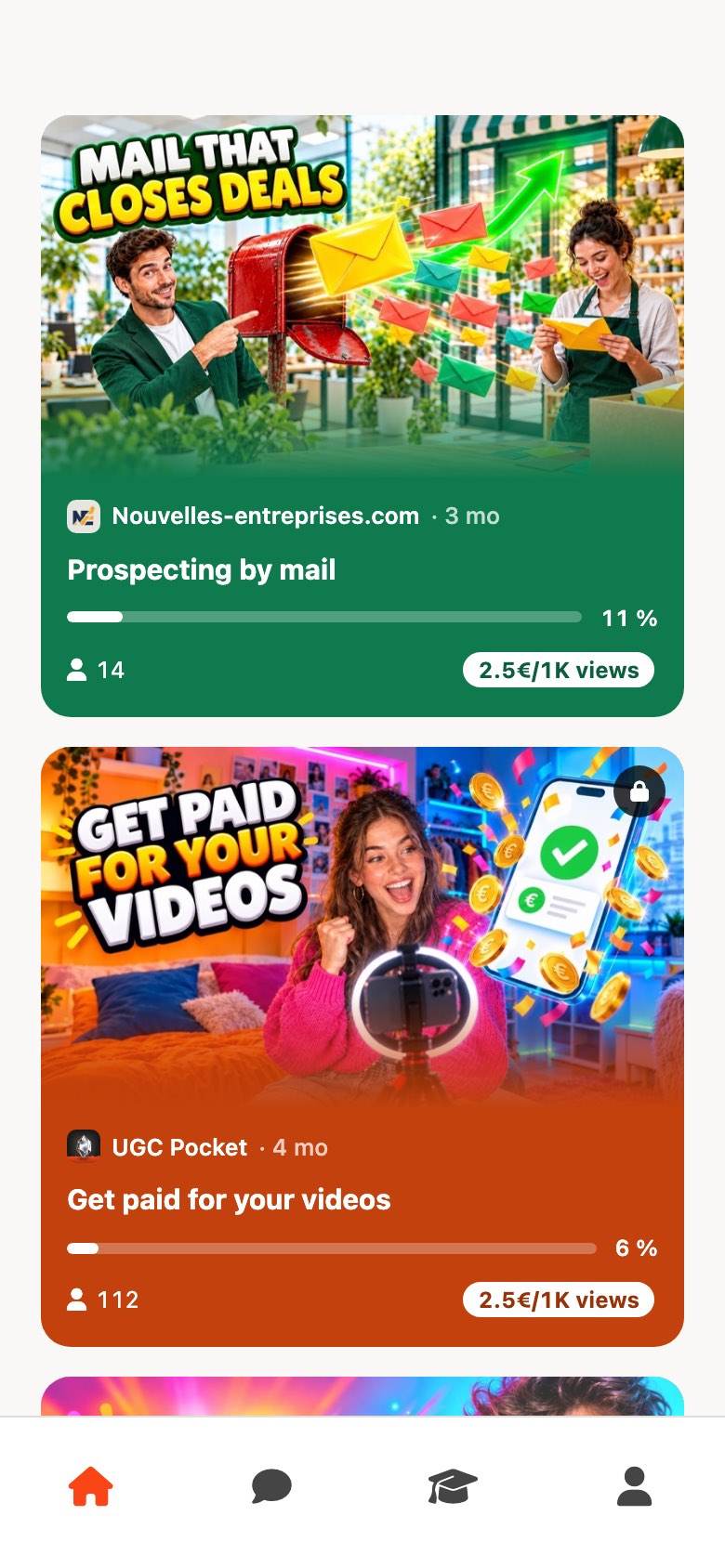
Our team builds each brand's challenges in the app. You film with your phone and publish on your own TikTok or Instagram accounts, the ones you declared. No follower minimum.
Paid on views, not followers
Each challenge shows its pay conditions before you start. Pay depends on the views of your published videos, above a cumulative views threshold.
Free, no subscription
The app is free on iOS and Android. Each brand accepts or declines access requests to its challenges. Status conditions are set out in the creator contract.
Available now on the App Store and Google Play.
From your first request to your first post, in 4 steps.
Request access to a brand
Create your profile, then request access to the brands you want to work with. Each brand accepts or declines requests to its challenges.
Declare your accounts
Choose the TikTok and Instagram accounts you will post on. Only videos published on declared accounts count.
Film and post
Follow the challenge brief, written by our team, film with your phone and post the video on your own account.
Paste the link
Paste the video link in the app. Views are read from the platform's public statistics and count toward the challenge's threshold. Our team reviews each video before anything is added to your balance.
Paid on the views your videos get.
Your follower count is not part of how pay is calculated. Each challenge shows its pay conditions before you start: read them, then decide whether to take part.
Conditions shown upfront
Every challenge displays its pay conditions in the app. You see them before you film, not after.
Views above a threshold
Pay depends on the views of the videos you publish on your declared accounts, above a cumulative views threshold set for each challenge.
Payout on request
When a challenge's conditions are met and our team has reviewed your video, the amount goes to your balance and you request a bank transfer from the app. Status conditions are set out in the creator contract.
Selling delivered videos to brands on the side? Our UGC creator rate guide covers how to set a rate.
Delivered UGC or posting on your account: know the difference.
"UGC creator" covers two jobs. Pick the one that matches what you want.
Delivered UGC
You film a video and send the file. The brand posts it on its own channels or runs it as an ad. You are paid for the file, whatever views it gets. A good route to build a UGC portfolio.
Posting on your account
You post the video on your own TikTok or Instagram. Pay depends on its views, according to conditions set before you start. This is how UGC Pocket works, and other platforms offer it too.
If you would rather be paid per delivered file, a marketplace for delivered UGC fits better. Our guide to UGC apps for creators explains how each kind of app pays. To see where these jobs are posted, read where to find UGC jobs.
You don't need an audience to make money.
UGC (user-generated content) is not influencer marketing. Brands on UGC Pocket are not buying your follower count: they want a video that looks native to TikTok or Instagram and gets watched. TikTok itself states that follower count is not a direct factor in its recommendation system.
Source: TikTok Newsroom, How TikTok recommends videos #ForYou, 18 June 2020, checked 30 September 2026.
How to start with no followers →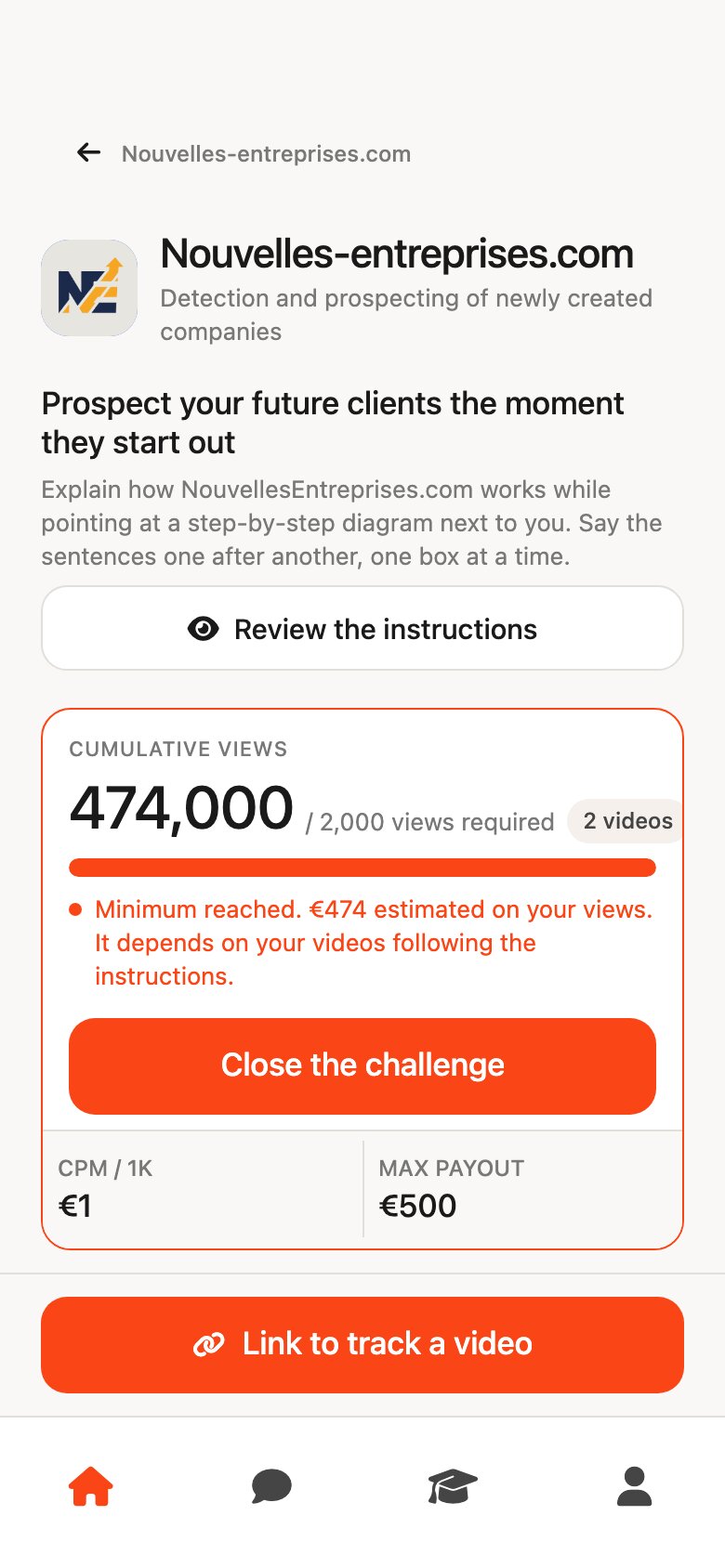
To get off to a good start as a UGC creator.
Our guides answer the real questions: where to begin with no audience, which formats to film, which apps to trust and which status to check.
Make money on TikTok with no followers
What pays from your first video, what needs an audience first, and the scams to avoid.
Read the guide →How to start UGC with no followers
The two ways to get paid without an audience, and what replaces followers when you start.
Read the article →UGC apps for creators
How each kind of UGC app pays, and what to check before you sign up.
Read the comparison →Becoming a UGC creator
The step-by-step guide to getting started: profile, first videos, what brands expect.
Read the guide →The creator's legal status
Registering an activity, invoicing, declaring income: the basics to check.
Read the status guide →Frequently asked questions from creators.
Do you need followers to start?
No. There is no follower minimum to sign up. Each brand accepts or declines requests to access its challenges, and your pay depends on the views your videos get, not on your follower count.
How are creators paid on UGC Pocket?
Each challenge shows its pay conditions before you start. Pay depends on the views of the videos you publish on your declared accounts, above a cumulative views threshold. Our team reviews each video before anything is added to your balance.
Where do I post the videos?
On your own TikTok or Instagram accounts, the ones you declared in the app. You follow the challenge brief written by our team, post the video, then paste its link in the app. Views are read from the platform's public statistics.
When can I request a payout?
When a challenge's conditions are met and our team has reviewed your video, the amount is added to your balance and you can request a bank transfer from the app. Status conditions are set out in the creator contract.
Do I need a legal status?
It depends on your country and on your volume. On UGC Pocket, status conditions are set out in the creator contract. Our guide to UGC creator legal status covers the common options.
Do I need to show my face?
It depends on the challenge: the brief says what is expected. Some formats, like a screen recording with a voice-over, work without your face. See our faceless UGC guide.
What gear do I need?
A recent smartphone is enough. Brands want videos that look native to TikTok and Instagram, not studio productions.
Is the app free?
Yes. The UGC Pocket app is free on iOS and Android, with no subscription.
Ready to post your first challenge video?
Download the app, request access to a brand and read the brief. The pay conditions are shown before you start.
Free on the App Store and Google Play.